
Introduction
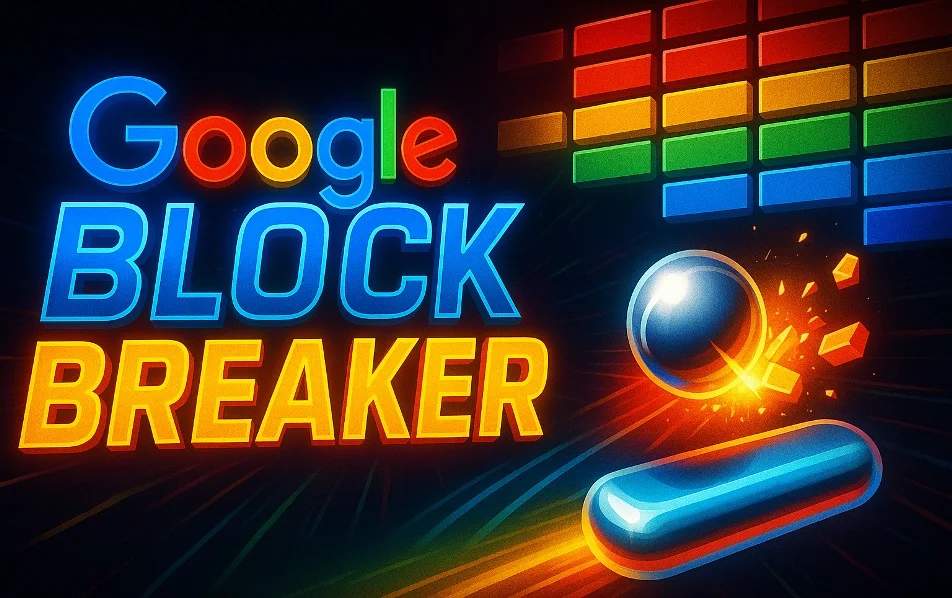
In the ever-expanding world of digital experiences, Google has quietly brought back a nostalgic gem: Google Block Breaker. This browser-based arcade game reimagines the classic “brick breaker” (or “block breaker”) concept, combining retro simplicity with modern polish. Whether you’re a longtime fan of arcade games or just looking for a quick, fun diversion, Block Breaker delivers a satisfying dose of reflex-based gameplay that anyone can enjoy.
Origins and Concept
Block Breaker belongs to a genre that dates back decades. The original idea—bounce a ball off a paddle to hit and destroy bricks—can be traced back to early arcade titles like Breakout and more elaborate successors such as Arkanoid..
Google’s version takes this tried-and-true mechanic and makes it accessible directly through your browser—no installation required. This aligns with Google’s trend of embedding simple, engaging games into its search engine and services, turning a simple search into a mini arcade experience.
How to Play Google Block Breaker
Launching the Game
To start playing, simply type “Block Breaker” (or “Brick Breaker”) into Google Search. A playable card appears in the search results that lets you launch the game instantly in your browser.
The Controls
- On desktop, use the left and right arrow keys to move your paddle.
- On mobile devices, you typically swipe or tap to control the paddle’s movement.
- You have a limited number of lives (usually around three), so let the ball fall too many times and you’ll need to restart a level.
The Objective
Your main goal is simple: clear all the colored blocks on the screen by bouncing the ball off your paddle. When blocks break, they may drop power-ups that alter the gameplay in exciting ways.
Key Features
Power-Ups and Special Blocks
Block Breaker isn’t just about smashing bricks—there are power-ups that make the experience richer:
- Multi-ball: Splits one ball into several, increasing chaos and scoring potential.
- Longer Paddle: Makes the paddle wider, giving you more control.
- Fireball or Laser: Lets your ball do more damage or break multiple bricks in one go.
- Other more nuanced blocks include TNT bricks that explode, mirror blocks that change the ball’s trajectory, and ghost or reinforced bricks that behave differently.
Progressive Difficulty
As you advance, levels become more challenging. New rows of blocks may slide in, sending the game’s difficulty upward, while the ball’s speed increases and layouts become less predictable.
No Downloads, No Hassle
One of the biggest advantages of Google Block Breaker is its instant accessibility. You don’t need to download anything, install an app, or register an account to play. Just open your browser, type in the search term, and you’re ready to go.
Cross-Device Compatibility
The game works smoothly whether you’re on a desktop, laptop, tablet, or smartphone. Controls adapt to your device, making it a flexible choice for quick gaming during breaks.
Clean, Engaging Visuals and Audio
The design is minimalist yet vibrant—an aesthetic that evokes old-school arcade machines while still feeling sleek and contemporary. Animation and visual feedback make every brick destroyed feel satisfying.
You also have control over sound: you can unmute to experience satisfying audio effects when the ball strikes or power-ups trigger.
Why Google Block Breaker Stands Out
Nostalgia Meets Innovation
Block Breaker strikes a balance between retro charm and modern game design. It hearkens back to classic arcade games while introducing fresh elements like varied power-ups and evolving level design.
Pure, Focused Fun
Because it’s embedded in Google Search, the game encourages short, quick play sessions, making it ideal for moments when you want to unwind but don’t have time for a long gaming session.
Wide Appeal
Both casual players and more serious gamers can enjoy this. Newcomers appreciate its simplicity, while seasoned players can challenge themselves with high scores and strategic play.
Safe and Lightweight
No need to worry about installations, ads, or in-app purchases—if you can access Google, you can play.
Tips & Strategies for Mastery
- Control the Angles
Where you hit the ball on the paddle matters. Hitting near the edges sends the ball at sharper angles, which helps reach tricky corners or side bricks. - Target Power-Ups
Not all blocks are equal. Prioritize breaking those with power-up symbols if you want to gain advantages like paddle extensions or extra balls. - Don’t Lose Control During Multi-ball
When multiple balls are active, focus on positioning your paddle somewhere central or strategic instead of chasing individual balls. This ensures you can bounce at least one back when things get chaotic. - Plan Your Shots
Rather than randomly bouncing the ball, glance at the block layout and think: which blocks should I clear first? Removing certain bricks can open up better access to the rest. - Stay Calm Under Pressure
As you progress, the ball’s speed will ramp up. Don’t panic—maintain focus, and let your instincts guide where your paddle should go.
Why It Matters in the Larger Context
Google Block Breaker is more than just a time-filler. It represents a broader trend: integrating playful, lightweight experiences into everyday digital tools. Rather than forcing users to download a separate app, Google is blurring the line between utility and entertainment.
By resurrecting a classic mechanics-based game in a modern wrapper, Google also introduces younger audiences to the charm of old-school arcade gameplay. At the same time, it gives veteran gamers a familiar, comforting challenge.
From a design perspective, Block Breaker is proof that simplicity can be powerful. It shows how minimal mechanics—when executed well—can create deep, satisfying play experiences.
Potential Improvements & Future Possibilities
While Block Breaker is already solid, there is always room to expand. Here are some ideas for how it might evolve:
- More Levels or Worlds: Introducing new themed stages with different block layouts or aesthetics could extend replay value.
- Leaderboards: A global leaderboard (or daily/weekly challenge) would give competitive players a reason to revisit the game.
- New Power-Ups: Adding more variety (e.g., gravity-altering blocks, time-slow zones, shield bricks) could deepen strategy.
- Offline Mode: A “downloadable” offline version would let users play without internet access.
- Customization Options: Letting players choose paddle designs, ball skins, or background themes could make the experience more personal.
Conclusion
Google Block Breaker is a beautifully simple yet deeply entertaining game that brings the spirit of classic arcade block breakers to modern browsers. It’s accessible, nostalgic, and just challenging enough to pull you back for more.
If you’re looking for a quick way to test your reflexes, blow off a little steam, or simply relive a piece of gaming history, there’s no better place to start than by typing “Block Breaker” in your Google search bar. With no downloads, no ads, and no barriers, it’s arcade fun made effortless. Give it a try—and see how many blocks you can smash.
