
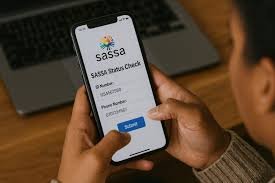
The Social Relief of Distress (SRD) grant, administered by the South African Social Security Agency (SASSA), offers vital financial support to individuals who are unemployed and have limited or no income. With monthly assessments, staying informed about your status is essential—and understanding the process of how to check it correctly can make all the difference. In this article, we explore everything you need to know about the SRD status check—from accessing your information via different channels to interpreting what various status messages mean and what to do if your application is declined.
What Is the SRD Grant?
The SRD grant (previously R350, now R370 per month) was designed as a social relief measure. It is not a permanent grant but is assessed monthly, meaning that even if you were approved in one month, you must continue to meet eligibility criteria for subsequent months. Approval depends on means tests, identity verification, and income checks.
Why Checking Your SRD Status Matters
- Determine Approval
When you check your status, you’ll know whether your application for the month is “Approved,” “Pending,” or “Declined.” - Know Your Pay Date
Even after approval, your “Payday” (the date when the grant funds are released) may not be immediately available. The status check helps you identify when SASSA has scheduled your payment. - Correct Issues
If your status shows problems—such as identity verification errors or banking detail issues—you can address them quickly to avoid delays. - Appeal When Necessary
If declined, you have the right to appeal. Checking your status is the first step in understanding why you were declined and submitting an appeal correctly.
How to Check Your SRD Status
There are multiple ways to check your SRD grant status. Depending on your preference and what is available to you, you can choose from several official channels.
1. Online via the Official SRD Website
- Go to the SRD status portal.
- Enter your 13-digit ID number and the cellphone number you used when applying.
- Click Submit to view the status for each month: “Pending,” “Approved,” or “Declined.”
2. Via WhatsApp
- Save SASSA’s official WhatsApp number on your phone.
- Send a message (for example “STATUS” or “SASSA”) to this number.
- Provide your ID number and registered phone number when prompted.
- WhatsApp will return your current grant status.
3. By Phone Call
- Dial SASSA’s toll-free helpline: 0800 60 10 11.
- Follow the voice prompts, enter your ID number, and the system will relay your status and possibly your payment date.
4. Using USSD or SMS
Some users report USSD codes (for example, 1347737#) that can provide status check options.
Alternatively, there are SMS-based methods, though availability and reliability may vary.
5. Via the Moya App
- Download the Moya App on your mobile device.
- Go into the “Services” section, find “SASSA SRD,” and you can check your status data-free (if supported by your mobile provider).
- Enter your ID and cellphone number to view your monthly status.
6. In Person at a SASSA Office
- Visit your local SASSA branch with your ID.
- Ask an official to check your status for you. Be prepared for waiting times, especially during peak periods.
Interpreting Your SRD Status Messages
When you check your SRD grant status, you might see different messages. Understanding what they mean can help you take the right next steps.
| Status | Meaning | What to Do |
|---|---|---|
| Pending | Your application is still under review. | Wait a few days and check again — SASSA is verifying your information. |
| Approved | Your application for that month has passed eligibility checks. | Look for a “Payday” or payment date. If no date is shown, check regularly in case the system updates. |
| Declined | Your application was not approved for that month. | Review any reason given. If you believe it’s incorrect, prepare to submit an appeal. |
| Approved – No Pay Date | Your application is approved, but payment hasn’t been batched yet. | Wait — SASSA schedules payments in batches, and the pay date typically appears later. |
Common Reasons for Delays or Declines
- Identity Verification Issues: SASSA checks your details against Home Affairs records. If there is a mismatch, your application may be “referred” or “failed” verification.
- Incorrect Banking Details: If the bank account you provided is invalid, or doesn’t match your ID name, payments may be delayed.
- Means Test: If SASSA identifies a source of income (or thinks your household income is above a threshold), it may decline your application.
- No Payday Yet: Sometimes “Approved” appears without a pay date because the payment batch has not been processed yet.
What to Do if Your Application Is Declined: The Appeal Process
- Submit an Appeal
- Go to the SRD appeals portal.
- Enter your ID number and registered cellphone number. An OTP may be sent to verify your identity.
- Indicate the specific month you are appealing for and provide a reason (for example, “I have no income” or “Bank details were wrong”).
- Understand the Review Time
- Appeals generally take 60–90 days to be reviewed by the Independent Tribunal for Social Assistance Appeals (ITSAA).
- Be patient and check your appeal status regularly via the portal or by contacting SASSA.
- Follow Up If Needed
- If the appeal decision is not in your favor, you may need to consider a further review, or check if your application data can be corrected.
- Ensure your ID and contact details are up to date so that any future communications or reapplications go smoothly.
Tips for a Smoother Status-Checking Experience
- Always Use Your Registered Phone Number: Status checks require the same cellphone number you used when you applied.
- Double-Check Your ID Number: A single typo can lead to a mismatch or incorrect status.
- Monitor Regularly: Because approval and pay dates are updated monthly, check your status a few times during the month.
- Be Careful of Scams: Always use official channels (the SASSA website, WhatsApp number, helpline) — don’t rely on unverified third-party apps or websites.
- Update Banking Details When Needed: If your banking information changes, update it through the official portal; this helps avoid payment delays.
Frequently Asked Questions (FAQ)
Q: Does “Approved” mean I already have the money?
A: Not necessarily. “Approved” means you’re eligible for that month, but actual payment depends on SASSA scheduling a payday, which may take a few days to reflect in your account.
Q: What if my status stays “Pending” for too long?
A: If it’s pending for more than a reasonable period, make sure your details are correct. You can also call SASSA (0800 60 10 11) or check via WhatsApp to see if there’s a specific hold-up.
Q: Can I reapply every month?
A: You don’t need to reapply each month. Once your application is active, SASSA re-assesses your eligibility monthly using the data you submitted.
Q: Is there a cost to checking my status?
A: Using the official SASSA website or WhatsApp is free. Using USSD may cost standard airtime or data depending on your network.
Final Thoughts
Checking your SRD status is not just a formality—it’s an essential part of ensuring you receive the social support you are entitled to. Whether you prefer to check online, via WhatsApp, USSD, or even by visiting a SASSA office, the key is to stay vigilant. Understanding what each status means, and knowing how to act if things go wrong, empowers you to manage your grant more effectively. If you’re declined, don’t be discouraged: you have the right to appeal. Use the information above to make the process smoother and more transparent.
If you like, I can also walk you through how to appeal step-by-step, or show you how to fix common issues that cause declines—do you want me to do that?
